Instructions for the Online Elections to the Senate and the School Executive Boards
1.
Log in to Stud.IP with your user ID (LDAP data) to receive your PIN and TAN (access data) for the online election page. Then go to "Profile" -> "UniWahl" in Stud.IP.
Persons who have decoupled their Stud.IP account from the user ID (LDAP ID), please contact Stud.IP Support (Tel. 6666) to re-establish a short-term link for the collection of data!
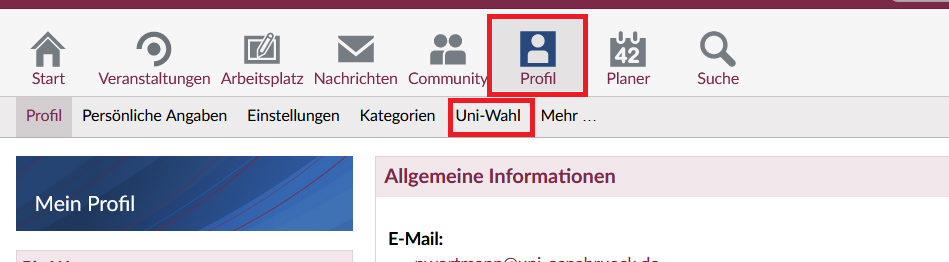
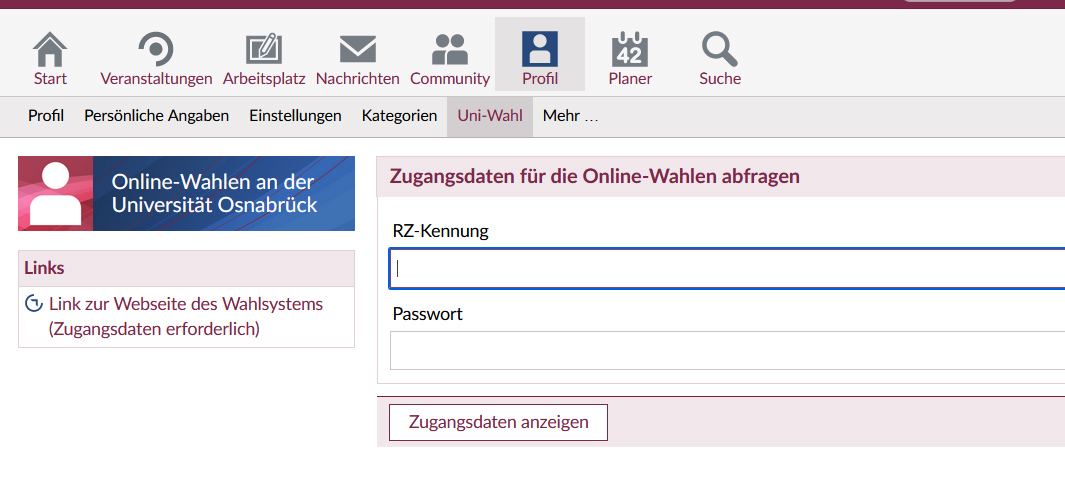
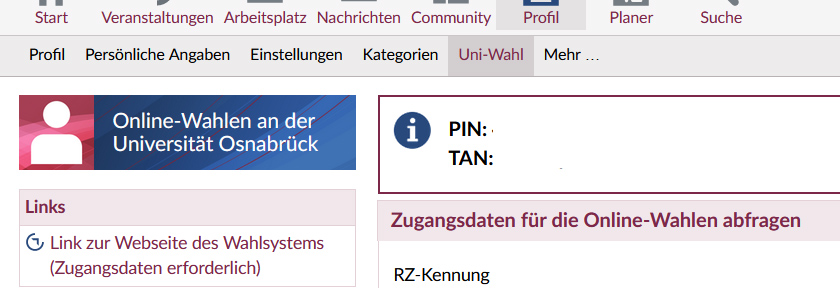
1.
Once you have your PIN and TAN, please go to the election page (or via the link on the left in Stud.IP) and enter the PIN and TAN you have received.
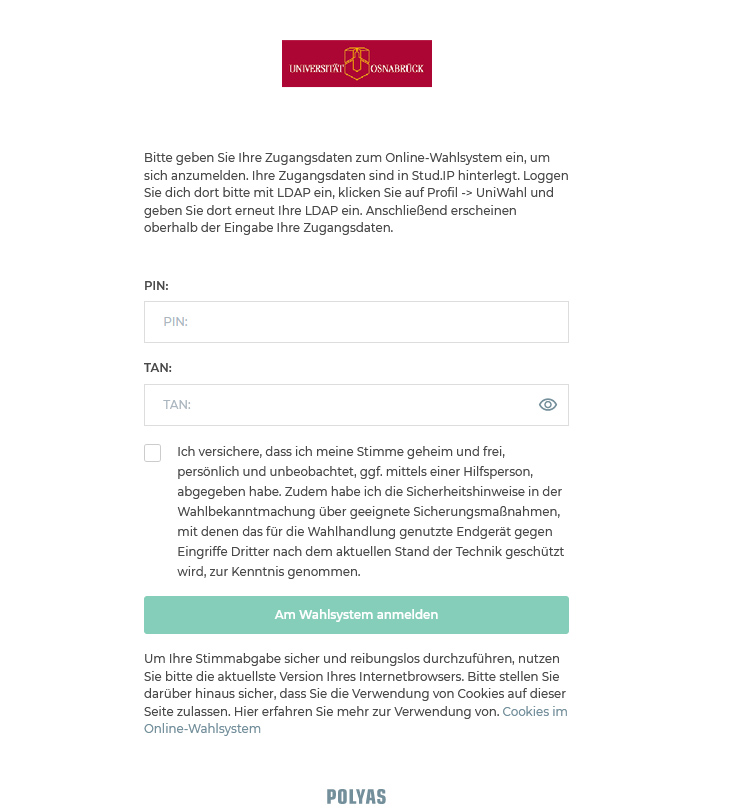
2.
You will first see a general information page. Please read this carefully. You must also confirm that you are voting by secret ballot and have taken note of the security information in the election notice. Click on the "Weiter zur Stimmabgabe" button to access your ballot papers, which will be assigned to you according to your allocation in the electoral roll.

3.
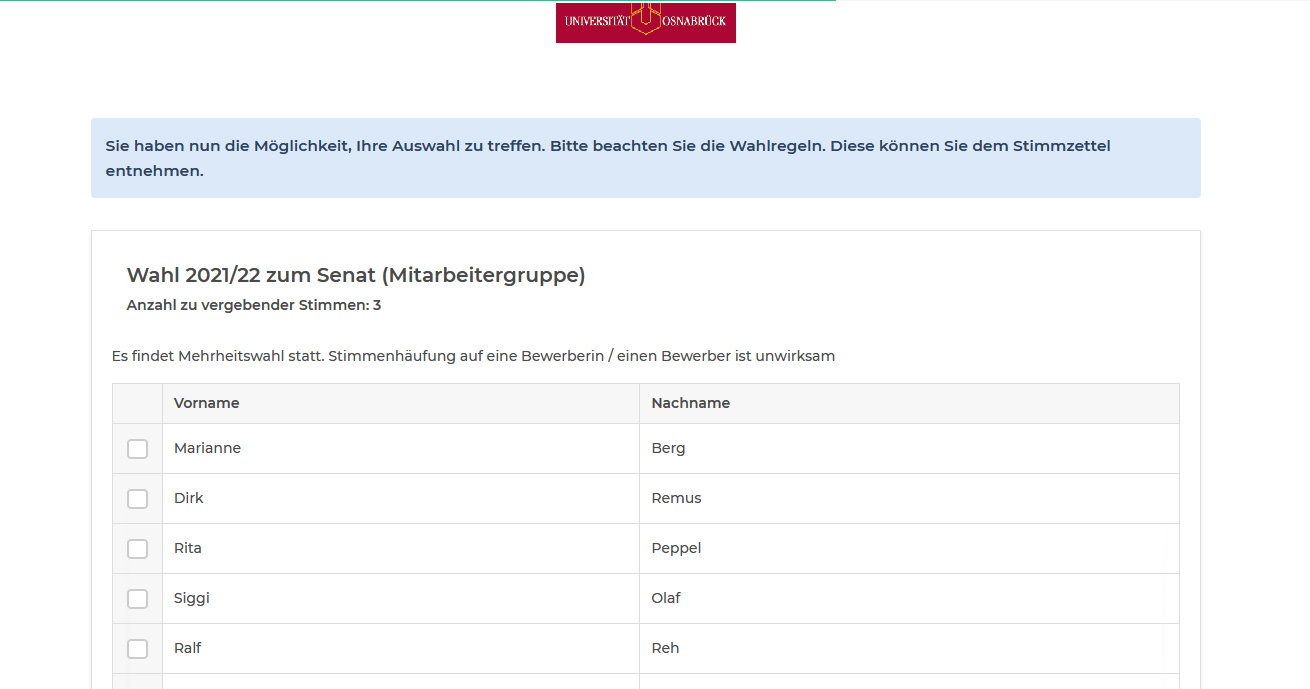
Cast your votes as you wish by ticking the box in front of the person of your choice. Please pay attention to the instructions above the ballot paper(s)!!!
In the case of majority voting, you have as many votes as there are seats to be allocated in the committee for your status group. In the case of list voting, you only have one vote for the entire ballot paper in the relevant committee.
4.
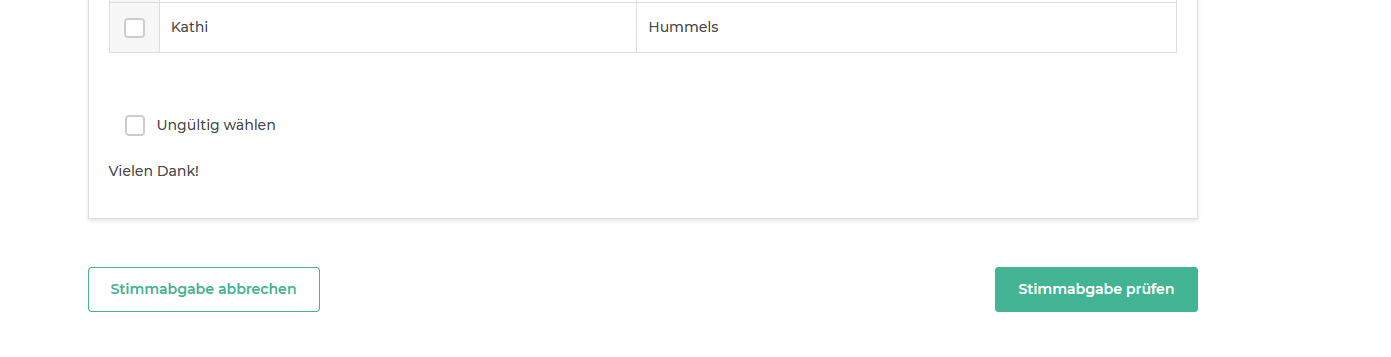
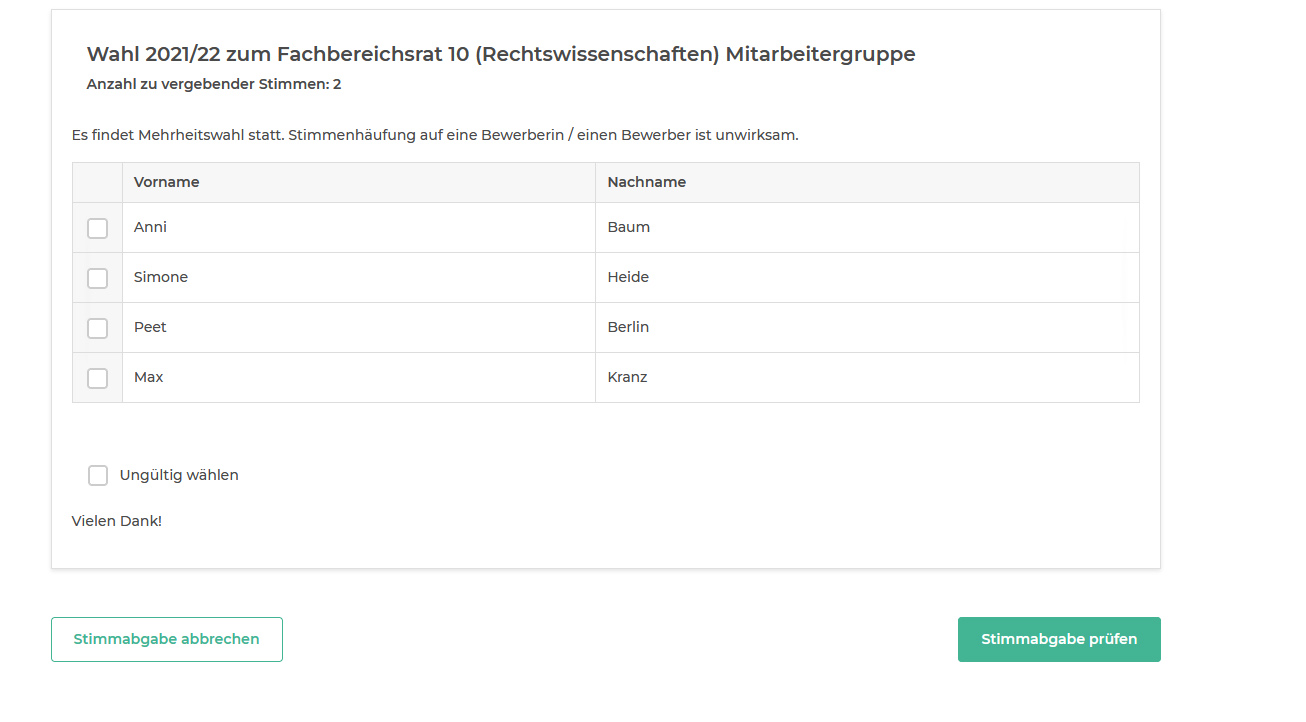
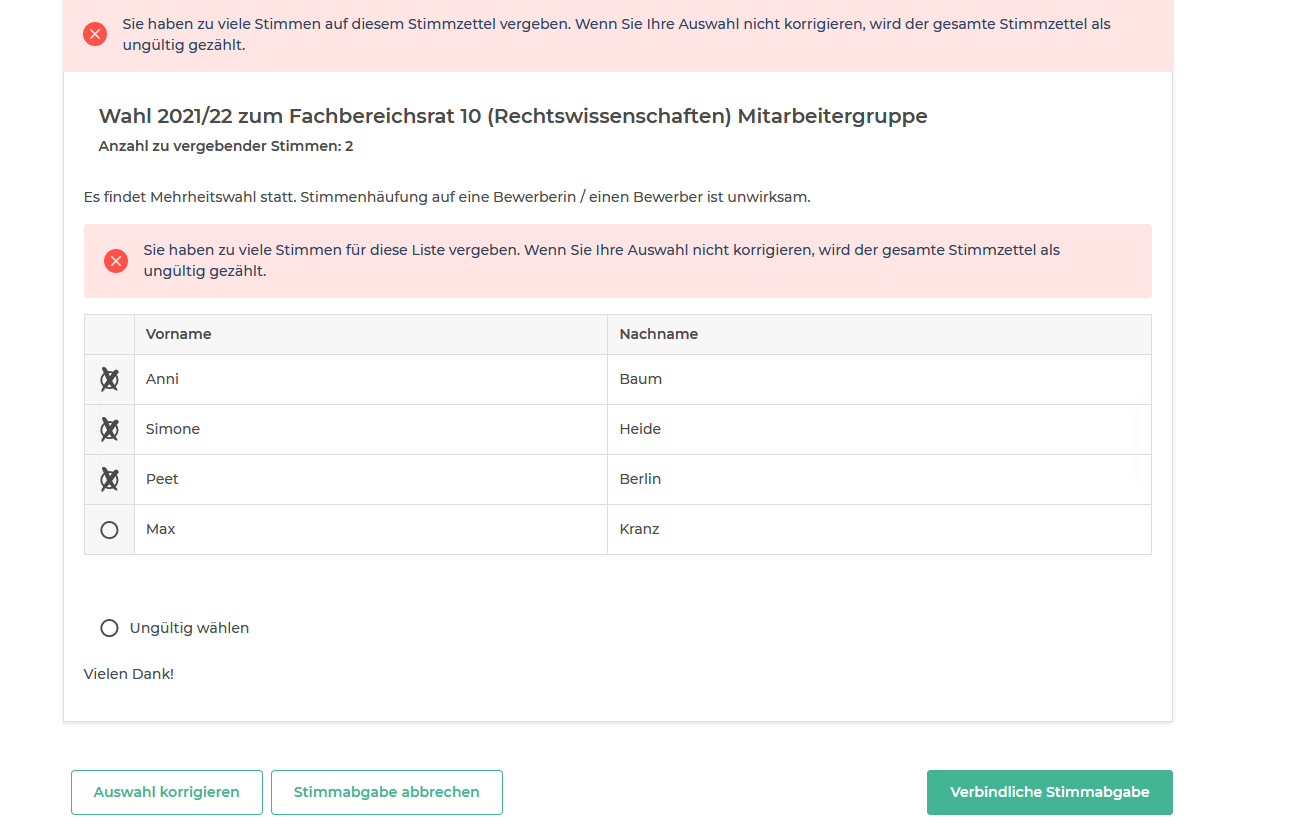
In the next step, you can check your vote(s) again via "Stimmabgabe prüfen". You can cancel the process by clicking on "Stimmabgabe abbrechen" and you will be redirected back to the login page. As long as you have not finally cast your vote(s), you can log in again and again until the voting deadline to cast your vote.

8.
Binding vote (end of the election): Click on "Verbindliche Stimmabgabe" to cast your final vote(s). It is no longer possible to participate in the election again!
Contact us
If you have any questions about the elections and the online election module in general, please do not hesitate to contact Pia Wortmann. You can reach her by telephone on 0541 969 4107 and by email at gremien@uni-osnabrueck.de.
If you have any problems collecting your PIN and TAN or logging in to the voting site, please contact the following people:
- The helpdesk of the computer center via 0541 969 3333 or by mail to Hotline@rz.uni-osnabrueck.de
- The Stud.IP support via 0541 969 6666
- The appointed election officer, Pia Wortmann, by telephone on 0541 969 4107 or by email at gremien@uni-osnabrueck.de